Feather Quest: A Jumping Adventure

Feather Quest: A Jumping Adventure

Swift Wanderer Games
2026-07-21
Adventure Platformer Jumping

Reviews

Feather Quest delivers a straightforward platforming experience with a friendly chicken protagonist. The controls feel tight, making jumps onto small platforms satisfying. Levels are well-paced, starting simple and gradually introducing more complex layouts. The automatic save feature is a practical touch for casual play. While not groundbreaking, the game executes its core loop well. It is a solid choice for players looking for a low-stress, family-friendly jumping game that can be enjoyed in short bursts.

About This Game

Core Objective

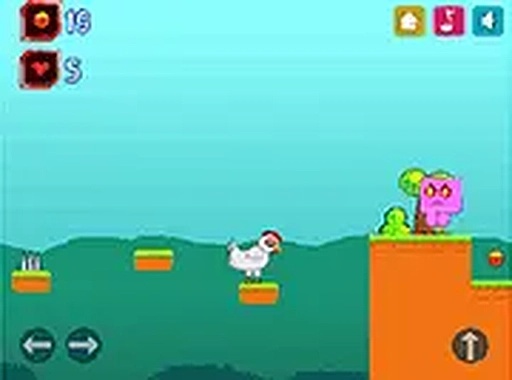
Players guide a lively chicken across side-scrolling stages. The main goal is to collect all scattered bowls of grain and then touch the red flag to finish the level. Each stage presents a new layout with platforms, gaps, and obstacles that require careful movement.

Controls and Interaction

The chicken responds to arrow keys or on-screen touch buttons. Pressing up makes the chicken jump, while left and right move it horizontally. The controls are responsive, allowing for precise leaps onto narrow ledges. A full screen mode is available for a more focused view.

Level Design and Progression

Stages gradually increase in complexity. Early levels introduce basic jumps and few hazards, while later ones require more precise timing and path planning. The difficulty curve is gentle, making the game accessible for newcomers while still offering a satisfying challenge for experienced players.

Visual Style and Atmosphere

The graphics use bright, cheerful colors with simple character and environment designs. The overall look is welcoming and suitable for all ages. The game runs smoothly in a browser window without requiring any downloads or registration.

Convenience Features

Progress is saved automatically, so players can stop at any time and resume later. The game works on mobile devices with touch controls, and there is no need to create an account. This makes it ideal for quick entertainment during breaks or longer play sessions.


Compatibility

This H5 game runs smoothly on:
• Desktop computers (Windows / Mac) • Mobile phones (iPhone / Android)
• Tablets (iPad / Android)
🌐 Best experienced with Chrome, Safari, or Edge

Faq

Is Feather Quest free to play?
Yes, Feather Quest is completely free to play. It runs directly in your web browser without any downloads or registration. You can start playing immediately on any device with an internet connection.
Can I play Feather Quest on my phone?
Yes, Feather Quest is mobile-friendly. It includes on-screen touch controls that work well on smartphones and tablets. The game automatically adjusts to your screen size for a comfortable experience.
Does Feather Quest save my progress?
Yes, the game automatically saves your progress as you complete levels. You can close the browser and return later to continue from where you left off. No manual saving is required.
How many levels are in Feather Quest?
The exact number of levels is not specified, but the game offers multiple stages with increasing difficulty. Players can progress through a series of unique layouts, each requiring different strategies to collect all grain and reach the flag.
Is Feather Quest suitable for young children?
Yes, Feather Quest is designed for players of all ages. The visuals are colorful and non-threatening, the controls are simple, and there is no violent content. It is a safe choice for young children to play independently.
What happens if I miss a bowl of grain in a level?
To complete a level, you must collect all bowls of grain before reaching the red flag. If you miss one, you can go back and find it. The level does not end until all grain is collected, encouraging thorough exploration.

Comments

0 comments
U
User
Loading comments...