Paper Block Craft World
Reviews
💡Paper Block Craft World stands out with its unique paper art style and two distinct modes that cater to both creative builders and those who enjoy a bit of challenge. The controls are smooth on both keyboard and touch devices, and the automatic save feature is a nice convenience. It's a safe, family-friendly game that encourages problem-solving without any inappropriate content.
Description
Game Introduction
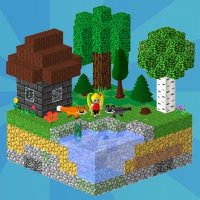
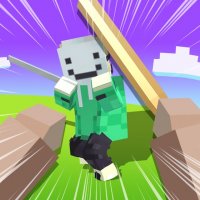
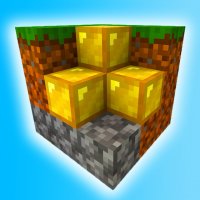
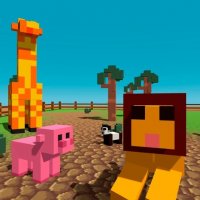
Paper Block Craft World is a web-based sandbox adventure that invites players to explore a charming paper-themed environment. The core objective is to gather natural resources like wood and stone, then use them to craft useful tools and construct shelters. The game offers two primary modes: a creative mode where players can build without any constraints, and a survival mode that introduces gentle challenges such as managing a character's health and hunger. This design encourages both free-form creativity and strategic thinking. The game is optimized to run smoothly on all modern browsers, including personal computers, mobile phones, and tablets, and it supports full screen viewing for a more immersive experience. Designed for players aged 7 and up, it provides a safe, imaginative space that fosters problem-solving skills and artistic expression. The paper aesthetic gives the world a unique, storybook-like quality that sets it apart from other block-building games.
How to Play
Players typically move their character using keyboard arrow keys or the WASD layout. The mouse is used to interact with the environment, such as breaking blocks to collect materials or placing blocks to build structures. Gathering resources like wood and stone is essential for crafting a variety of tools and equipment. Exploration is a key part of the experience, as the world contains different areas to discover. In survival mode, players need to keep an eye on their character's health and hunger levels by finding or preparing food. The game includes an automatic save feature, so progress is preserved between sessions, allowing players to continue their adventure at any time.
Game Features
Key features include a large open world for exploration, a creative mode that allows unlimited building without resource constraints, and a survival mode that introduces resource management and environmental challenges. The controls are designed to be intuitive, working well with both touch screens and physical keyboards. The game also offers full screen support for a more engaging visual experience. The paper-themed art style provides a distinctive, family-friendly aesthetic that is appealing to younger players.
Tips for Success
Begin by collecting basic materials like wood and stone to create essential tools. Construct a simple shelter early on to have a safe place during night periods. Keep your character fed by gathering and cooking food to maintain health and hunger. Explore the world gradually to find new materials and varied landscapes. Practicing building techniques in creative mode can help you become more efficient in survival mode.