
Core Combat Dynamics
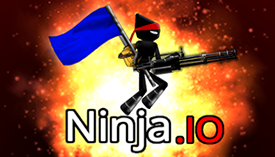
Shadow Strike Team Arena centers on physics-driven interactions that influence every encounter. Projectiles follow realistic arcs, meaning players must account for distance and elevation when aiming. Objects in the environment can be used for cover or repositioning, adding layers of strategy. The game rewards those who learn to predict movement and adjust their tactics on the fly. Each match feels distinct because small changes in positioning or item usage can shift the outcome.
Team Coordination and Objectives
In team mode, groups work together to seize control of a target while defending their own area. Success depends on clear communication and role assignment. Some players may focus on advancing, while others provide support by holding key positions. The physics system means that even a well-planned attack can be disrupted by an unexpected bounce or a clever use of the environment. This creates a dynamic where adaptability is as important as raw skill.
Arena Design and Interactive Elements
The arenas are built with interactive features that change how players approach each round. Teleportation gates allow quick traversal across the map, while moving platforms and trampolines introduce vertical movement. These elements encourage players to think in three dimensions and use the terrain to gain an advantage. The layout of each arena is designed to promote varied strategies, from direct assaults to flanking maneuvers.
Item System and Tactical Options
Items scattered throughout the arena provide temporary advantages that can turn the tide of a match. Grenades and other throwable objects follow realistic trajectories, so timing and placement matter. Players must decide when to pick up items and how to use them effectively. The item system adds a layer of resource management, as carrying an item may slow movement or require careful aiming to maximize its effect.
Progression and Personalization
Players can create an account to track their performance and progress over time. This allows for a more personalized experience, with stats that reflect individual improvement. While the core gameplay remains consistent, regular updates may introduce new arenas, items, or modes to keep the experience fresh. The game supports both Azerty and Qwerty keyboard layouts, and audio controls are available for customization.
Getting Started and Practice
New players can jump into matches as a guest to learn the basics without commitment. The solo mode offers a chance to practice against others in a free-for-all format, helping players understand projectile arcs and movement. Team mode is best approached after gaining some familiarity with the physics. The in-game control reference provides a quick way to check key bindings, and players can adjust settings to suit their preferences.






Comments
0 comments